
Referencing an igus ReBel robot
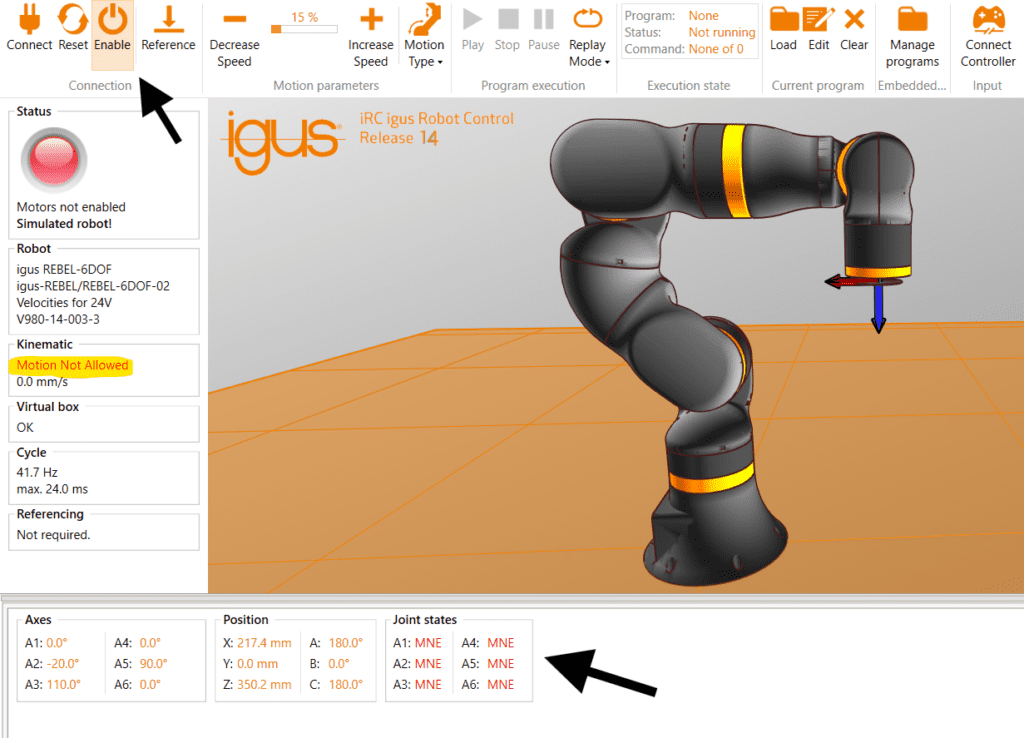
Reset and Enable
Press “Enable” then the “Reset” button. Ensure your EMERGENCY Stop is in the release position or you will not be able to get passed this startup step.
DO NOT try to move the joints after hitting reset and you here “clicking” sounds coming from the robot joints, it is self referencing and you need to allow it to finish.
Referencing
When the robot is not referenced cartesian motions and program replay are not allowed.
Hit the reference button to be sent to a screen that shows you the state of your joints.
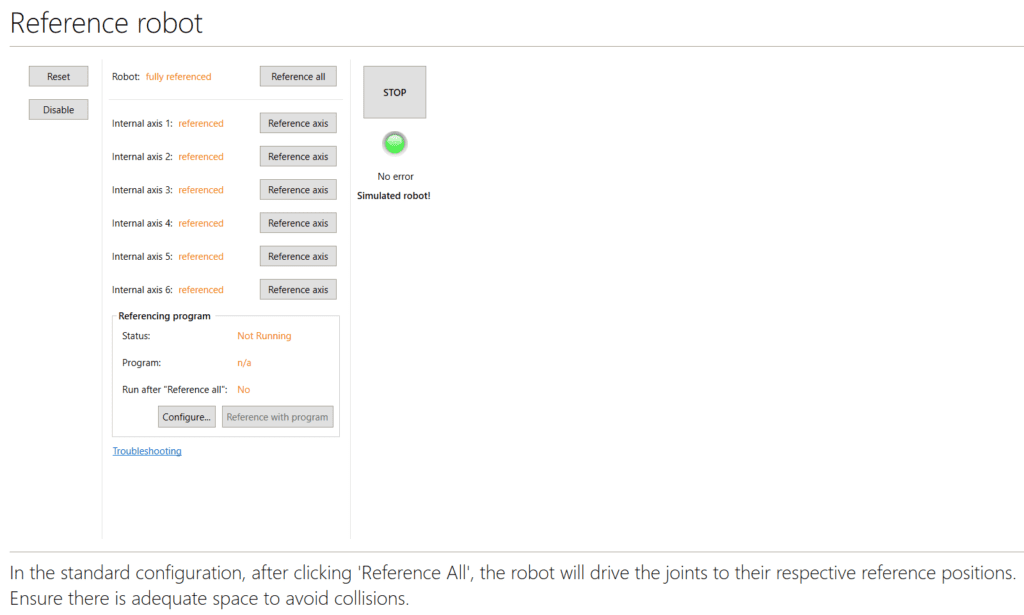
If the referencing procedure fails please check this article: Troubleshooting Referencing Issues
Load Correct Project
When a wrong robot project is loaded the cartesian motions may not be correct.
Check if the loaded project fits to the used robot and load the correct one.
Define Zero Positions
If the zero positions are not correcly defined carteisn motions might be inaccurate.
To check perform a referencing and the move the joint to zero. Now the robot should be in a vertical / horizontal position referring to the joint holes.
If this is not the case adapt the offset in the amp parameter following the guide on the wiki.